How to Download Instagram Stories in 3 Steps
-
Step 1: Copy Story Link
Open the public Story or Highlight on Instagram, tap Share, and select Copy Link.
-
Step 2: Paste into SSSInsta
Paste the copied URL into the SSSInsta input box above and click Download.
-
Step 3: Save Media to Storage
Use the download link to save the file to your device.
Key Advantages of SSSInsta Story Downloader
Public Links Only
SSSInsta only takes public links, so Stories from private accounts cannot be saved.
Quality Follows The Source
The saved file follows the original Story, so a low-quality Story stays low-quality.
Highlight Links May Work
A public Highlight link goes into the same box. Highlight downloads have not been confirmed here, so results may vary.
No Account Required
Works in your browser without asking for a login or a password.
Phone or Computer
Runs in a mobile or desktop browser, so there is no app to install.
No Payment Step
SSSInsta does not ask for payment or sign-up.
Save Public Instagram Stories Before They Expire
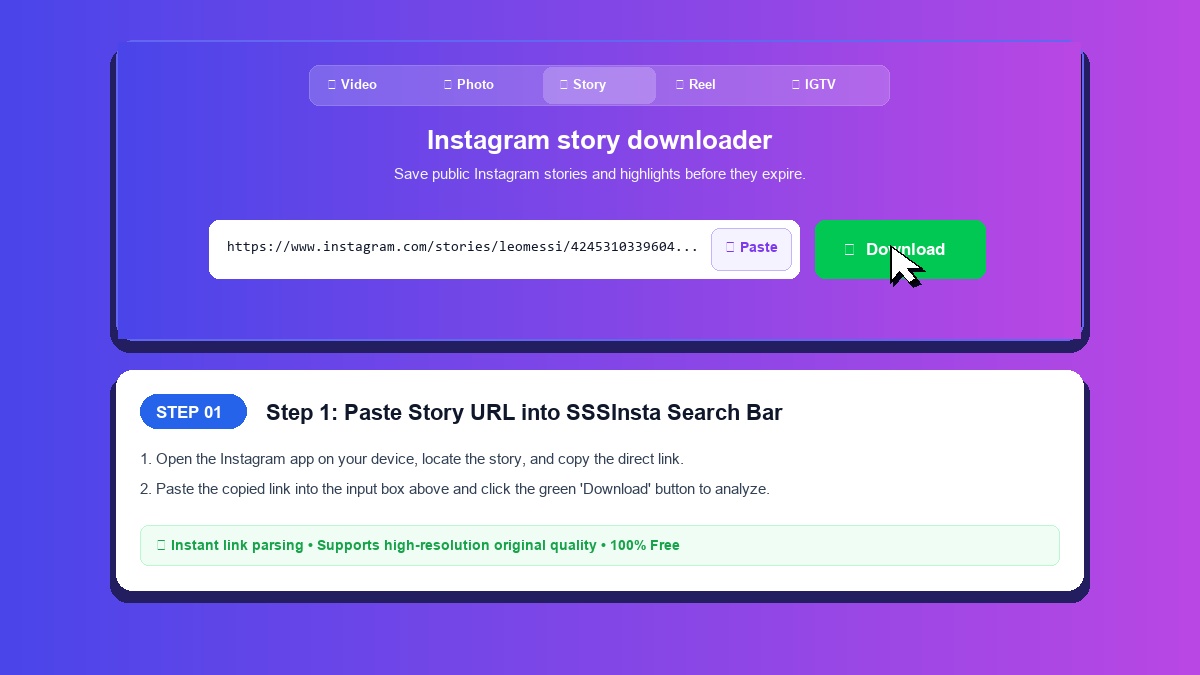
Instagram Stories automatically vanish after 24 hours, so an Instagram story download has to happen before then. SSSInsta takes a public Story or Highlight link and tries to return a download link for it before the Story disappears. Story downloads are not confirmed yet.
Key Features of the Story Downloader
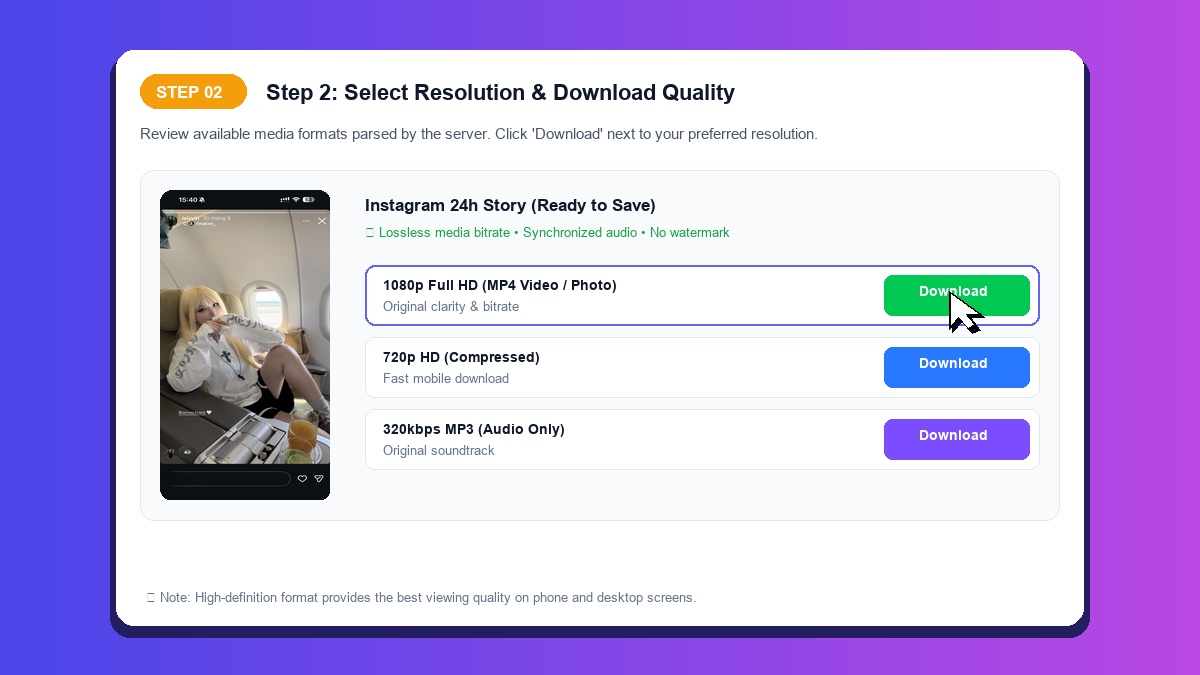
- Public Links Only: Stories from private accounts cannot be saved.
- Highlight Links: A public Highlight link goes into the same box too.
- Quality Follows The Source: The saved file follows the original Story, so a low-quality Story stays low-quality.
- No Registration: Paste a link without signing in or providing passwords.
How to Save Stories on iOS, Android, and Desktop
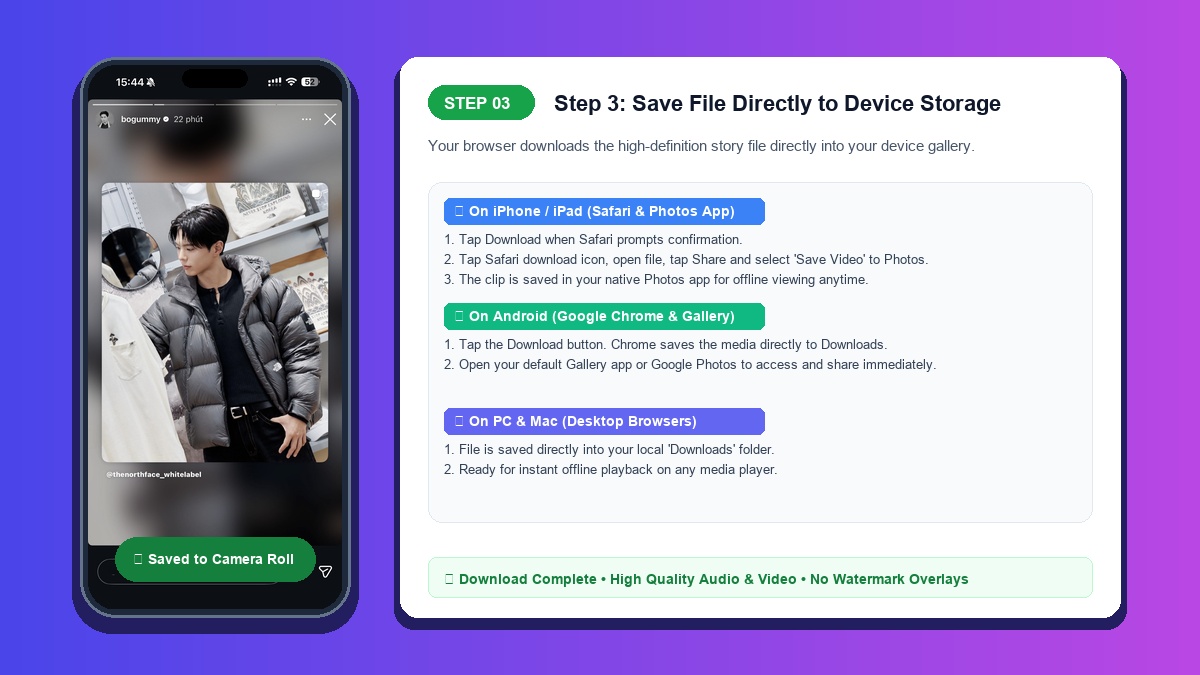
On iPhone: Open Safari, paste the Story link, and tap Download. If a file comes back, open it in the Files app, tap the Share icon, and select 'Save Video' or 'Save Image' to store it in Photos.
On Android: Paste the link in Chrome and click Download. Any file it returns goes to your browser downloads.
On PC and Mac: Paste the link in a desktop browser and save any file it returns to your computer.
How to Save Permanent Profile Highlights and Story Albums
Unlike regular 24-hour stories, Instagram Highlights are curated albums preserved permanently on a creator profile. SSSInsta accepts a Highlight link in the same box, but Highlight downloads have not been confirmed here, so results may vary.
Simply navigate to the user profile, open the desired Highlight album, tap the Share icon to copy its URL, and paste it into SSSInsta. If the link works, you get a download link for it.