How to Download Instagram Photos in 3 Steps
-
Step 1: Copy Post URL
Find the photo post on Instagram, tap Share, and select Copy Link.
-
Step 2: Paste URL into SSSInsta
Paste the link into the input field above and click Download to parse media files.
-
Step 3: Save Full-Size JPG
Click the download link to save the JPG file to your device.
Key Advantages of SSSInsta Photo Downloader
Original Image File
Downloads the JPEG file Instagram hosts for the post.
Carousel Links
A carousel post link goes into the same box, but carousel downloads have not been confirmed here, so results may vary.
Direct Download Link
A public photo link returns a direct download link to the image file.
No Account Required
Saves pictures without connecting your personal Instagram account.
Cross-Device Use
Works in a phone or computer browser; where the saved file lands depends on your device.
No Payment Step
Saving a photo does not ask for payment or a subscription.
Save Instagram Photos Online
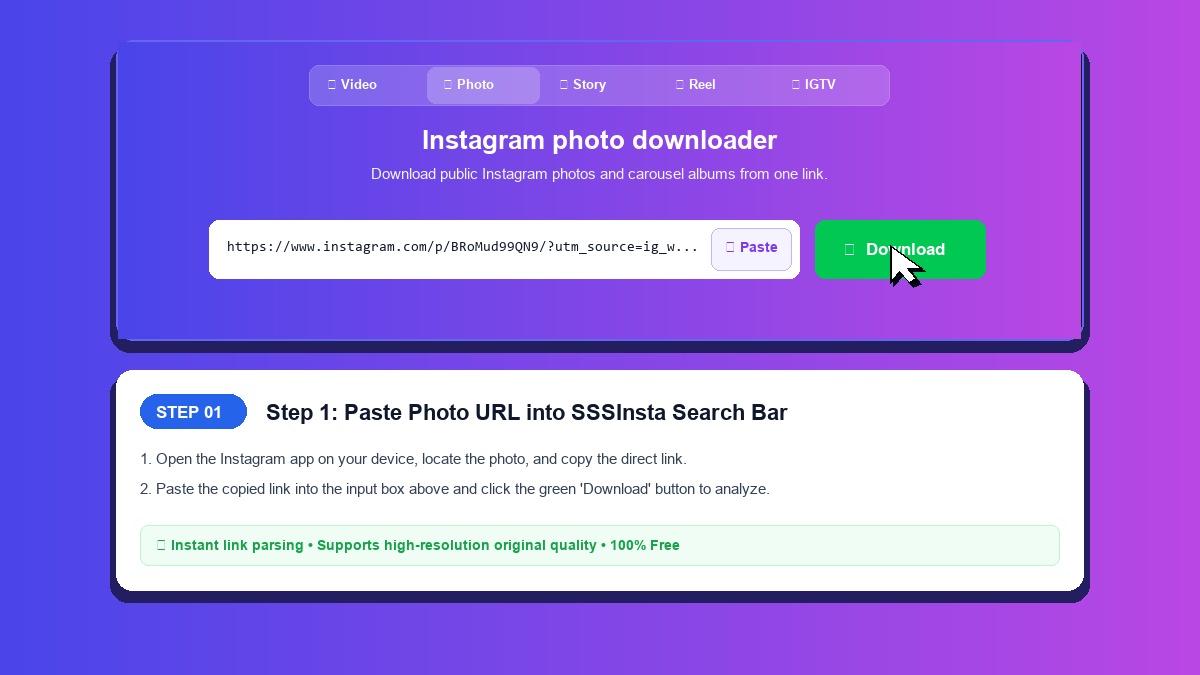
SSSInsta works as an Instagram photo downloader: paste a post link and download Instagram photo files directly to your smartphone or computer. Pictures come back as the JPEG file Instagram hosts for the post.
Why Use SSSInsta Instead of Screenshots
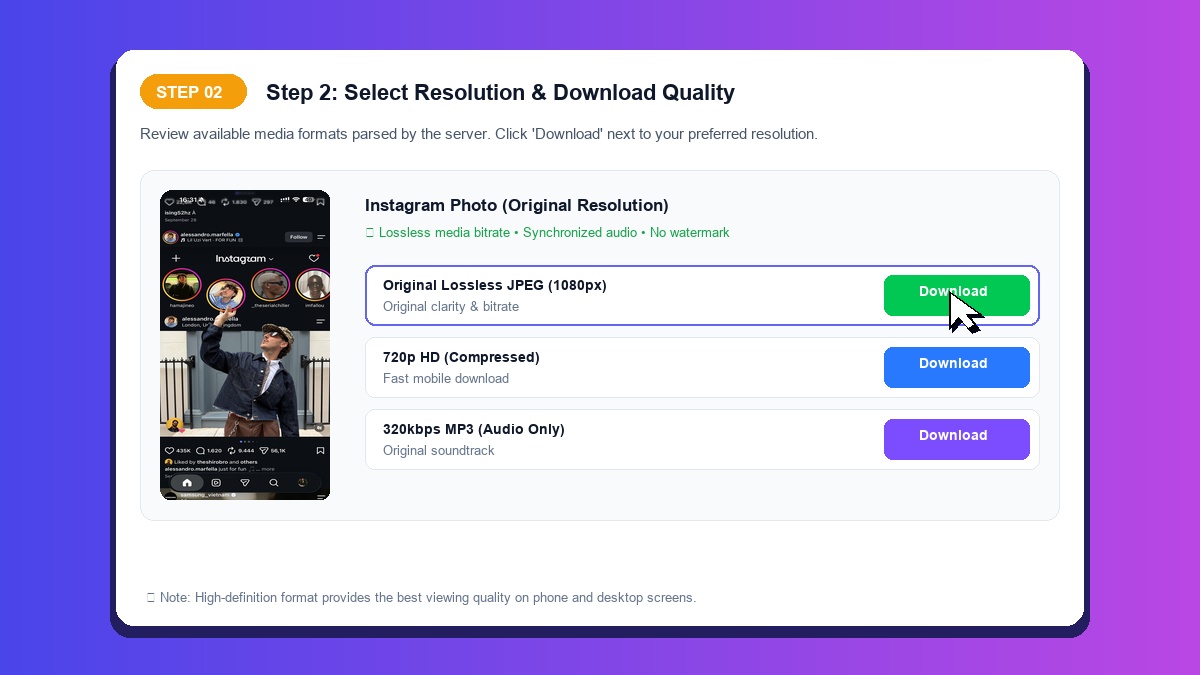
- Original Image Quality: You get the image file from the post, not a capture of your screen.
- Clean Output: No cropped borders, battery indicators, or interface overlays.
- No Sign-Up: Save pictures without creating an account.
Saving Photos on Mobile Devices and Computers
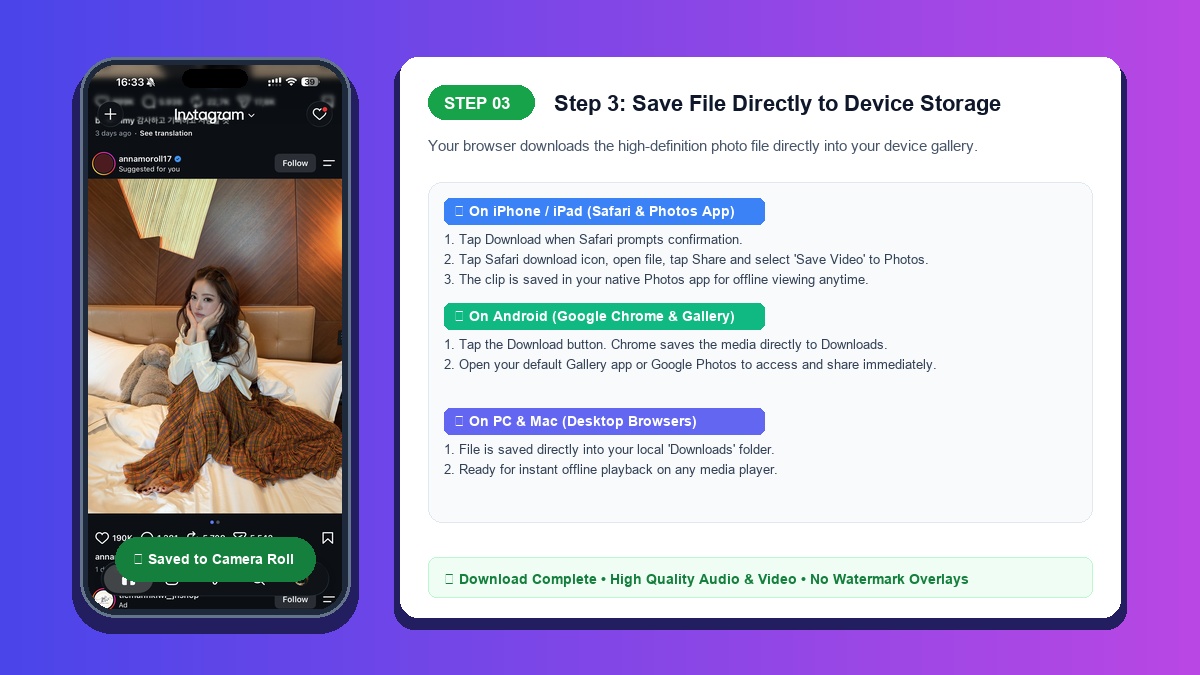
On iPhone: Paste the link in Safari and tap Download. When the image appears, press and hold it, then tap 'Save to Photos' to place it directly into your camera roll.
On Android: Paste the link in Chrome and tap Download. Chrome usually puts the file in Downloads, where your gallery app can pick it up.
On Desktop: Right-click the displayed image and choose 'Save image as...' to store it on your drive.
Downloading Multi-Photo Carousel Posts
Instagram carousel posts bundle several photos and videos in one post. Single photo posts have been checked on SSSInsta, but carousel posts have not, so confirm that every slide you need actually comes back before you rely on it.
If a carousel link works, save each image you need as its own file.